WordPress Tip: Which template is being used?

Which Template Code

Whenever I’m working on a new WordPress theme, especially one that uses different templates for Custom Post Types, archives, tags or any other string of possible data types, there always comes a time when I’m just not certain exactly which template WordPress is displaying.

If you aren’t sure how the WordPress theme hierarchy works, this graphic shows the exact flow on how WordPress chooses which template file to use for a given page. But, when you are making changes to CPT slugs, page names, taxonomies and the like, in order to know exactly which file is actually being used on the page you’re viewing, you’re going to need a little more assistance. That’s where this piece of code comes in to play.

Open up your theme’s functions.php file and add the following:

1
2
3
4
5
6
add_action('wp_head', 'show_template'); 
 
function show_template() { 	
global $template;
print_r($template);
}

Save the file and now when you view your site in a browser, you’ll see something like this:

Just below the admin bar and right above the beginning of your site you’ll see the directory path and file name being used on the page you’re viewing. No more guessing!

It should go without saying, but I’ll say it anyway… Unless you want this showing up on your live site, please comment out this code before pushing your theme live.

New plugin: Ipsum Maker

durdenipsum

Caution: Silly project ahead.

It’s no secret I build a lot of websites. During the build process, I’m constantly using lorem ipsum filler text to see how elements are going to lay out on the page. Normally that means heading over to lipsum.com to generate a few paragraphs. But seriously, that is some boring text! Which lead several people to create their own entertaining themed lorum ipsum generators. Some of my favorites being Bacon, Gangsta, Samuel L Jackson and one all about seafood. There’s also a couple for veggies and vegans.

Well, inspiration struck and I decided it was time to create my own lorum ipsum generator using quotes from my favorite movie of all time, Fight Club. You can check it out at DurdenIpsum.com.

But why keep all that fun to myself? I’ve released a generic version of the plugin so you can download it and make your own ipsum generator. If you do, please drop back by and leave a comment with a link to your new site.

Have fun!

WordCamp Portland – Round 3

wcpdx

One of my favorite WordCamp events each year is always the one up in Portland. No, not just because they had kegs of beer just inside the front door. Although that certainly didn’t suck. Their local WordPress community is awesome and invited in us outsiders with open arms. By the end of the first weekend there, I was ready to move in.

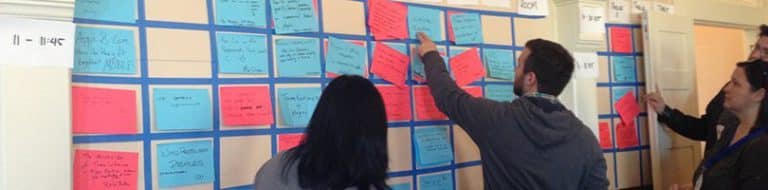
More than just my annual pilgrimage back to Portland for beer and Voodoo Doughnuts, I’m really excited for this year’s WCPDX since they are switching things up and doing mainly an unconference style event. If you aren’t sure what that is, rather than having a predetermined list of speakers with set times, anybody and everybody is encouraged to suggest topics for sessions. Then a vote happens and the most popular topics get turned in to sessions.

I’ve been to 20+ WordCamp events, and 2 of my favorite sessions I’ve sat in on were both unconference sessions. I found that the audience was more engaged and both sessions turned in to more of a discussion than a simple presentation. I got a lot out of both of those sessions and I expect a lot more of the same next month in PDX!

If you are planning on going to the event, start thinking about discussions you’d like to take part in. Then, when you get there, write it down on the suggestion board! I have a couple ideas in mind already myself.

See you there!

WordPress meetup date change

A funny thing happened while planning WordPress meetup. Turns out, I managed to plan it for a time when several of the WordPress peeps in Vegas will be out of town for WordCamp San Francisco. Oopsy.

After a quick bit of rearranging, we are now scheduled for Wednesday, August 10th, 7pm – 9pm at The Beat Coffeehouse in Downtown Las Vegas.

Sorry for the confusion and looking forward to seeing you all there!

Twitter Comments

thedevgeek RT @vegasgeek: WordPress meetup date change http://vegasgeek.com/ngj
Re-Tweet | Reply | View Tweet
sdenike RT @vegasgeek: WordPress meetup date change http://vegasgeek.com/ngj
Re-Tweet | Reply | View Tweet
vegasgeek WordPress meetup date change http://vegasgeek.com/ngj
Re-Tweet | Reply | View Tweet

WordPress Meetup Hits Vegas!

WordPress Logo

Last week while attending my first Vegas Jelly event at The Beat Coffeehouse, I knew immediately that I had found what I’ve been trying to find for a long time; a place to host a regular WordPress meetup group. After exchanging a couple emails with the owner, I knew we were in business. Food, beer, central location, free WiFi and a place that’s happy to have us… Yep, this is what I’ve been searching for!

That being said, I’m very excited to announce…

WordPress Meetup – August 11th at The Beat

The when: Thursday, August 11th Wednesday, August 10th- 7pm to 9pm
The where: The Beat Coffeehouse – 520 Freemont St, downtown Las Vegas (inside the Emergency Arts building) – Map it
The what: An evening of WordPress, presentation and conversation

The plan is to run a monthly event on the 2nd or 3rd Thursday of each month. I’ve created a Facebook group where I’ll keep everybody up to date on when the event will be each month. If you have a WordPress site and need some help, know a bunch about WordPress and want to share some knowledge or just want to come out and talk about one heck of an awesome CMS, come on down! And, of course, if you know somebody who might be interested, send them the link or just drag them with you.

Presenters Welcome

My plan is to have a 10-15 minute presentation each month followed by some casual conversation. If you have an idea for a presentation, let me know and I’ll get you on the schedule for an upcoming event.

Like I said last week, the Vegas Tech Scene is on the rise. Jelly, Ignite, WordPress meetup and I think we’ll be hearing some news about WordCamp Las Vegas pretty darn soon. Stay tuned!

Twitter Comments

vegasgeek WordPress Meetup Hits Vegas! http://vegasgeek.com/o8n
Re-Tweet | Reply | View Tweet

Bookmarks Theme for WordPress

create-page

Back in the day I used del.icio.us for storing public bookmarks. It was an easy enough system to use, but two things always troubled me; If they change layout or functionality, I had to just accept it, and if they shut down, all my content goes with it. Ultimately what I wanted was my own hosted solution. Turns out, I wasn’t alone.

A couple months back I learned about an extension for the Chrome browser called Delectable. It adds a button to your browser that lets you post a title and tags directly to a WordPress installation. The first thing I did was set up a separate WordPress install on my server to start storing bookmarks. Functionally, it worked great. But, I wanted a way to display the links the way I wanted to see ‘em. So I started working on a custom theme.

Before I get started I want to be clear, the bookmarks theme I created is really basic, but serves my purpose. I’m making it available for download and you’re free to do with it as you see fit. I don’t have plans to add new functionality or offer support. Basically, this is an as-is freebie.

Bookmarks

The Bookmarks Theme has a page template with 3 vertical widget areas where you can drop the customized bookmarks widget to display bookmarks you’ve saved with specific tags. You can limit the number of items to display on the home page per section, but easily view the entire set of links using the View All link.

To see the theme in action, you can check out how I’m using it at bookmarks.vegasgeek.com.

Setting Up the Bookmarks Theme

  • Install a fresh copy of WordPress.
  • Install and activate the Bookmarks theme
  • Set the permalinks to /%postname%/
  • Create a page called Bookmarks and select the bookmarks template.
  • Set the bookmarks page as the site’s front page
  • Create some tags
  • Add some bookmarks widgets
  • Start Bookmarking!

While the bookmarks theme is freely available for download, keep in mind that it is built as a child-theme on the Genesis framework and you will need to have Genesis installed as well for this theme to work.

Hope you find the theme useful!

Twitter Comments

themergency RT @vegasgeek: Just released a free WordPress theme for storing bookmarks. http://vegasgeek.com/bookmarks-theme #WordPress #genesiswp
Re-Tweet | Reply | View Tweet
jarret RT @bgardner: RT @vegasgeek: Just released a free WordPress theme for storing bookmarks. http://vegasgeek.com/bookmarks-theme #genesiswp
Re-Tweet | Reply | View Tweet
dswiese RT @vegasgeek: Just released a free WordPress theme for storing bookmarks. http://vegasgeek.com/bookmarks-theme #WordPress #genesiswp
Re-Tweet | Reply | View Tweet
derekmarkham RT @vegasgeek: Just released a free WordPress theme for storing bookmarks. http://vegasgeek.com/bookmarks-theme #WordPress #genesiswp
Re-Tweet | Reply | View Tweet
deckerweb RT @vegasgeek: Just released a free WordPress theme for storing bookmarks. http://vegasgeek.com/bookmarks-theme #WordPress #genesiswp
Re-Tweet | Reply | View Tweet
carlsz RT @vegasgeek: Just released a free WordPress theme for storing bookmarks. http://vegasgeek.com/bookmarks-theme #WordPress #genesiswp
Re-Tweet | Reply | View Tweet
sdenike RT @vegasgeek: Just released a free WordPress theme for storing bookmarks. http://vegasgeek.com/bookmarks-theme #WordPress #genesiswp
Re-Tweet | Reply | View Tweet
vegasgeek Just released a free WordPress theme for storing bookmarks. http://vegasgeek.com/bookmarks-theme #WordPress #genesiswp
Re-Tweet | Reply | View Tweet

Adding conditional headers in WordPress

blue-xl

While working on a project recently, the client wanted to display a custom header graphic for a specific ection of their site. This was complicated by the fact that there were a few places where the header needed to be changed; a static page that’s used as a landing page for the content, the category archive page and the single page for each blog post.

So I did what I typically do in these situations, I hit up Google. What I found was several tutorials on conditional headers, but most of them were either VERY outdated, or, they were centered around the idea of using the featured image from a page or post as the header. This wasn’t going to work as the site was already using the featured image on posts for display in other areas. So instead I decided to use the add_filter function to display an extra bit of CSS on the proper pages.

The site’s style.css file contains the following:

#header {
	background: url(images/header.png) no-repeat;
	height: 120px;
	width: 920px;
}

The project was to change the header any time we were on the sports page, on the sports category archive page, or any time we were on a single blog post page where the post had been added to the sports category. Here’s how I did it:

In the theme’s functions.php file, I added the following snippet of code:

add_filter( 'wp_head', 'conditional_header_sports' );
 
function conditional_header_sports() {
	if ((in_category( 'sports' ) || is_page( 'sports' )) && !is_home()){
	?>
	<style type="text/css" media="screen"> 
		#header {
			background: url(<?php echo get_bloginfo('stylesheet_directory'); ?>/images/header-sports.png) no-repeat;
		}
	</style>
	<?php
	}
}

In the example, I’m checking for a few things:

  • in_category( ‘category_name’ ) : This will be TRUE on both the category archive and for any single blog post page where the content has been added to the specified category.
  • is_page( ‘page_name’ ) : This will be TRUE on the page with the specified name.
  • !is_home() : Since there is content displaying on the home page from the selected category, prior to adding !is_home(), I was running in to issues where the home page was returning TRUE and displaying the alternate header. Adding the !is_home() confirms that we will use the default header on the home page.

So, as long as EITHER of the first two checks was true and as long as we weren’t on the home page, our custom function will be called. When it’s called, it’s going to display the CSS code needed to override the default header background with the custom background for the sports section.

For my project I only needed to work with the is_category() and is_page() functions, but, WordPress has a bunch more conditional tags you can use to target specific content.

Happy Customizing!

[POST UPDATE!]
After writing this post, I received a comment and a tweet suggesting that this could be done using the body_class() function. So I did a little research, and sure enough. So, here’s a second solution for the same problem.

To start, in your template file, make sure the header call looks like this:

<body <?php body_class(); ?> >

This will add extra information to the tag. For example, a single post page’s body tag will look like this:

<body class="single single-post postid-12345 single-format-standard header-full-width content-sidebar">

Unfortunately, this wasn’t enough info to cover all my requirements. Until I found out you can modify the information that gets added to that body class. on the WordPress codex entry for body_class(), I found this chunk of code:

function category_id_class($classes) {
	global $post;
	foreach((get_the_category($post->ID)) as $category)
		$classes[] = $category->category_nicename;
	return $classes;
}
add_filter('body_class', 'category_id_class');

I added that to the functions.php file and that updated the body tag to look like this:

<body class="single single-post postid-12345 single-format-standard logged-in admin-bar header-full-width content-sidebar sports-2 featured-content">

The last few items on that list, ‘sports-2′ and ‘featured-content’, are the slugs for the categories this post was in. I now had enough information in the body tag to cover all my bases.

The next step was to add CSS code to cover each case. That code ended up looking like this:

body.page-id-12345 #header, body.sports-2 #header {
	background: url(images/header-sports.jpg) no-repeat;
}

In the future, if the client wants to update new sections with custom headers, the steps are pretty simple; grab the page id, the category slug, upload the header graphic and add a new css block to the style sheet. Simple.

Twitter Comments

iAMROBERTV RT @vegasgeek: Adding conditional headers in WordPress http://vegasgeek.com/rl6
Re-Tweet | Reply | View Tweet
dremeda RT @vegasgeek: Adding conditional headers in WordPress http://vegasgeek.com/rl6
Re-Tweet | Reply | View Tweet
vegasgeek Adding conditional headers in WordPress http://vegasgeek.com/rl6
Re-Tweet | Reply | View Tweet

WordCamp Orange County 2011 Wrap-up

I’ve sorta lost track, but I think WordCamp Orange County 2011 was either my 21st or 22nd WordCamp. After that many events all centered around WordPress, I still manage to come home with a list of things to research. The best part is, my note taking abilities can sometimes be… less than stellar, so when I get back it’s important that I do the research right away or else I’m in trouble.

Here is how I take notes, on the iPhone I open up the Notes app and start a fresh page. I don’t bother typing the name of the event as the top line, because it would be too easy if looking at the list I could just go directly to “WCOC 2011″… Instead, I can find it listed with something file name or obscure function.

Here is my entire collection of notes from this weekend:

install.php
internationalization
wp_http
shutdown
imockups for ipad
restricted site access
wp site stack

Excellent. This should be simple…

The first 4 items came from Beau Lebens’ (pronounced BeYow by the waitress, much to the delight of the rest of the table) talk about JetPack as a case study. In order:

install.php – apparently, if you do a BUNCH of WP installs, you can include a install.php file that will be run automatically upon completion of the install. So, if you wanted to pre-set a bunch of settings, this would be a good way. I haven’t found a good tutorial on it yet, but if one doesn’t exist, Beau said he’d write one. (hint hint)

Internationalization – This was just a note to myself that I should really start thinking about adding internationalization to plugins earlier in the process as it will make things easier.

wp_http – This should be used any time you’re trying to connect to remote data as it will auto-handle the connection protocol.

shutdown – Some processes that may take time to run and are not critical to the current page load can be attached to the shutdown hook and will be run after WP has done the rest of it’s business. Something to keep in mind.

The rest of the notes were from random parts of the day.

imockups for ipad – (h/t @codyl) This sounded like a pretty cool tool for doing site mockups on the iPad. Gonna have to check it out.

restricted site access – (h/t @jeffhester) This was a plugin mentioned for limiting access to sites that sounded like it may be something I could use for an upcoming project. You can check out the plugin here.

WP Site Stack – (h/t @glennbennett) During a discussion about running multiple WP sites, this plugin was mentioned and figured I’d check it out as well. Available at wpsitestack.com

So, that’s what I personally took away from the event. Well, that and a ton more. I had a blast hanging out and chatting with a bunch of really cool people and I can’t wait for #WCOC12.

Did you attend WCOC? What notes did you come away with?

Twitter Comments

Ribeezie RT @vegasgeek: WordCamp Orange County 2011 Wrap-up http://vegasgeek.com/wcoc2011
Re-Tweet | Reply | View Tweet
24k RT @vegasgeek: WordCamp Orange County 2011 Wrap-up http://vegasgeek.com/wcoc2011 #WordPress
Re-Tweet | Reply | View Tweet
vegasgeek New Post: WordCamp Orange County 2011 Wrap-up http://vegasgeek.com/wcoc2011
Re-Tweet | Reply | View Tweet

New Plugin: Wheel-o-Meals

Meals

During a call with a potential client this week, I realized his WordPress-based project was going to need a custom post type with a few custom taxonomies attached. While I have already worked on several projects with custom post types, amazingly enough, I haven’t had to work with custom taxonomies yet. So it was time for a little practice.

When I’m trying to figure out how to do something, I’ve always found it works best to try and build a real-world application. Otherwise, there’s the tendency to say “that’s good enough” and then quit.

I don’t know about you, but in our house we repeatedly have the following conversation;

Wife: What do you want for dinner tonight?
Me: I dunno. What do you want?
Wife: I dunno. What sounds good?
Me: I dunno. Whatever.

Rinse, repeat.

The solution, the Wheel-o-Meals plugin.

How it works and what it does
The plugin creates a new post type called ‘Meals’ with two taxonomies attached for sides and veggies. You add in a meal with the title being the main dish (Steak, for example) and then add sides and veggies in the same way you would add tags to a blog post.

Once you’ve added several meal options, create a page and add the [meals] shortcode. View the page in a browser and the plugin randomly selects one of the possible meals and then randomly selects one side dish and one veggie for each day of the week. Here’s an example:

Now all you have to do is go shopping.

Disclaimer
As I mentioned initially, I built the plugin in order to learn something specific. The plugin is very limited in it’s functionality. For example, it pulls each meal randomly so it doesn’t limit the number of times a meal can be selected (be prepared to eat Steak 7 days in a row!) You are welcome to download the plugin and do whatever you want with it. I have no plans to expand on or support the plugin, but I hope you can at least make some use of it.

Enjoy.

Twitter Comments

dianebrogan RT @vegasgeek: New Plugin: Wheel-o-Meals http://vegasgeek.com/wom
Re-Tweet | Reply | View Tweet
vegasgeek New Plugin: Wheel-o-Meals http://vegasgeek.com/wom
Re-Tweet | Reply | View Tweet